-
Shop
- Advanced Technologies
- AI Career Advantage Collection
- AI Skills
- AI Skills for Creators & Freelancers
- AI Client Management
- AI Ethics
- AI Mindset
- AI Tools & Prompts
- AI Writing & Content Creation
- Audio, Voice & Music
- Design & Visual Creation
- Email, Messaging & Communication
- Freelancing & Business
- Marketing, Ads & Conversion
- Productivity, Workflow & Automation
- SEO & Search Optimization
- Social Media Content & Growth
- Strategy, Planning & Analytics
- Video Creation & Editing
- Bathroom
- Beauty
- Best-Sellers
- Car Accessories
- Car Buying & Ownership
- Confidence
- Dating & Social Skills
- Digital Resources
- AI & Technology
- Budgeting & Saving
- Cozy Feast Collection
- Electronics & Technology
- Emotional Intelligence
- Entrepreneurship & Business Growth
- Financial Education
- Financial Independence
- Financial Mindset & Psychology
- Goal Setting
- Hobbies
- Kitchen & Recipes
- Leadership
- Mindfulness
- Mindset
- Motivation
- Online Business
- Positive Thinking
- Productivity
- Self Confidence
- Sleep Improvement
- Smart Life with AI
- Stress Management & Relaxation
- Travel Planning
- Yoga & Fitness
- Yoga & Mind-Body Practices
- Education & Learning
- Family & Parenting
- Gadgets
- Health & Beauty
- Health & Wellness
- Home & Garden
- Home Styling & Organization
- Home Supplies
- Kids & Babies
- Legend Footwear Brands Collection
- Online Business for Beginners
- Parenting & Child Development
- Patio, Lawn & Garden
- Personal Growth
- Personal Style & Fashion
- Pet Care
- Pet Lifestyle & Wellness
- Pet Supplies
- Pets
- Smart Amazon Shopping
- Stress Relief & Relaxation
- TikTok Growth & Monetization Mastery
- Travel
- Travel & Adventure
- Wealth
- Wellness
- Popular
- Best deals
AI Slide Workflow Checklist for Faster, Better Decks

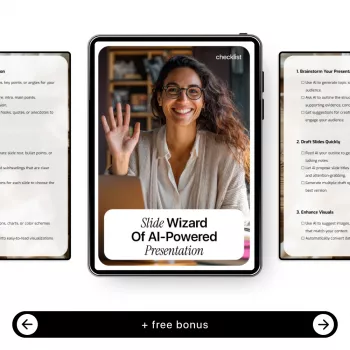
Slide Wizard of AI-Powered Presentation: the smart checklist for faster, better slides
Great slides are rarely about flashy design. They’re about clear thinking, tight structure, and a workflow you can repeat under real deadlines. AI can speed up nearly every step—if you give it a solid brief, keep the story in charge, and apply a human standard before you hit “present.”
Our team built Slide Wizard of AI-Powered Presentation (digital checklist download) to make that repeatable: define what your audience needs, generate options quickly, then polish with a consistent voice and credible claims. You end up with slides that feel like you—clean, on-message, and ready to deliver.
What the Slide Wizard checklist helps you avoid
AI can produce a deck in minutes, but “fast” isn’t the same as “ready.” A checklist is what prevents the common failure modes:
- Slides that look “AI-made”: generic headings, vague bullets, and filler that says little.
- Decks that are visually consistent but strategically messy: pretty templates with no narrative spine.
- Last-minute rewrites because the story wasn’t locked before design started.
- Overstuffed slides when AI adds “helpful” details that dilute your point.
- Inconsistent voice slide-to-slide because your requests weren’t anchored to a single style.
When you tighten structure first, your design choices become simpler: fewer layouts, fewer elements, clearer emphasis—and less time spent nudging text boxes around.
A clean AI slide workflow (built for real deadlines)
When you’re working quickly, the order of operations matters. Here’s the sequence we recommend—and the one Slide Wizard reinforces:
- Start with a one-sentence goal: what you want the audience to think, feel, or do after the last slide.
- Define audience and context: their role, prior knowledge, time limit, the decision to be made, and what success looks like.
- Build the story before the slides: sections, key claims, and the proof you’ll use to support them.
- Use AI to generate options, not decisions: ask for multiple angles and phrasings, then choose deliberately.
- Design after the message is stable: layout should serve readability and emphasis, not novelty.
- Run a final pass for clarity and credibility: remove claims without evidence, tighten wording, and make sure every slide earns its spot.
If you’d like an extra boost on delivery confidence once the deck is solid, our team also recommends Confident Again: step-by-step guide to rebuilding self-belief (for calmer presenting) as a practical companion for the human side of presenting.
Smart checklist moments: where AI helps most (and where it needs guardrails)
For readability and scannability, the same principles that guide strong web writing apply to slides: make the main idea obvious at a glance, keep phrasing lean, and front-load meaning. Nielsen Norman Group’s guidance on concise, scannable content is a solid reference point: https://www.nngroup.com/articles/how-users-read-on-the-web/.
AI Slide Workflow Checklist (copy/paste-ready)
| Stage | Prompt or action | Expected output | Quality check before moving on |
|---|---|---|---|
| Goal & audience | Summarize the presentation goal, audience, time limit, and decision needed in 5 lines. | A clear brief to anchor every step. | Does the goal include an outcome (decide/approve/buy/understand)? |
| Outline | Propose 3 different story structures for this topic: problem/solution, opportunity/plan, or compare/choose. | 3 outline options with section headings. | Is there a logical build toward a conclusion or ask? |
| Slide map | Turn the chosen outline into a slide-by-slide map with one sentence per slide (assertion title). | A draft slide list with takeaways. | Would the deck make sense if only the titles were shown? |
| Content drafting | For each slide, suggest: 1 key message, 2 supporting points, and 1 visual idea. | Structured content blocks. | Are any points repetitive, vague, or unprovable? |
| Simplify | Reduce each slide to the minimum needed to support the takeaway. Provide a shorter version and explain what was removed. | Lean slides with clearer emphasis. | Is each slide skimmable in 3–5 seconds? |
| Design guidance | Suggest layout ideas: hierarchy, whitespace, font sizes, and chart choice for each slide. | Practical design directions. | Will the slide still work on a projector and on a laptop? |
| Speaker notes | Write speaker notes (60–120 words) that connect this slide to the next and include one memorable phrasing. | A smooth talk track. | Do the notes add value beyond reading the slide? |
| Final QA | List potential accuracy risks, missing assumptions, and questions a skeptical audience will ask. | A risk/objection checklist. | Are claims supported? Are next steps specific and actionable? |
Make AI-generated slides feel unmistakably yours
If you want a classic, practical framing for simplicity and visual communication, Presentation Zen is a helpful benchmark: https://www.presentationzen.com/. And if your deck will be shared widely, accessibility is part of “polished”—Microsoft’s accessibility tips for PowerPoint are a useful checklist: https://support.microsoft.com/en-us/office/make-your-powerpoint-presentations-accessible-to-people-with-disabilities-6f7772b2-2f33-4bd2-8ca7-d9b39d90a5d0.
Who this digital checklist is for
FAQ
Does the checklist require a specific AI tool or slide app?
No. You can use the checklist with common AI chat tools and any slide software; the value is the workflow, the sequence, and the quality checks that keep your deck coherent.
How do you keep AI from inventing facts or sources in a presentation?
Use guardrails: require citations for factual claims, don’t allow made-up numbers, and verify any sources independently. Treat AI as drafting support and finish with a final QA pass before presenting anything as fact.
What’s the fastest way to improve an AI-generated deck in the final hour?
Rewrite slide titles into clear takeaways, cut text by 30–50%, and enforce one main idea per slide. Add one proof element for each key claim, then tidy spacing and typography for a consistent, professional finish.














Leave a comment